Migrate Slack to Google Chat.
Fully automated.
An open-source CLI that migrates messages, threads, file attachments, emoji reactions, and channel members into Google Chat using the Import API.

Stuck in Slack with No Way Out
You've moved to Google Workspace but years of conversation history, files, and institutional knowledge are still locked in Slack. There's no official migration tool from Slack to Google Chat. Without your history, teams lose context, onboarding suffers, and you're paying for a platform you're trying to leave. The full value of an integrated Google Workspace — Chat, Drive, Meet, Docs, all connected — stays out of reach until your conversations move too.
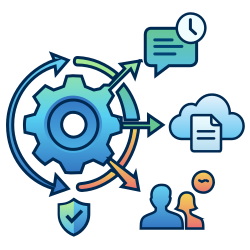
The Import API, Handled For You
slack-chat-migrator automates
the entire Google Chat Import API workflow — space creation in import mode, message threading with precise timestamps,
Drive uploads with deduplication, per-user reaction impersonation, membership history, and the 90-day import mode deadline.
Validate everything with a dry run before making any API calls.
Everything You Need
A complete migration toolkit, not a half-measure.
Messages & Threads
All messages including threaded replies, preserving conversation structure and original timestamps.
Attachments via Drive
Files uploaded to a shared Google Drive with name and MD5 deduplication. Linked in messages automatically.
Emoji Reactions
Reactions migrated with per-user impersonation via domain-wide delegation, so reactions appear from the right people.
Resumable & Rate-Aware
Checkpoint-based resumption picks up where you left off if interrupted. Exponential backoff handles API rate limits automatically so large migrations run unattended.
Dry Run First
Validate your export, user mappings, and permissions before touching any APIs. See exactly what will happen.
Open Source & Auditable
MIT licensed. No telemetry, no external calls. Your service account credentials never leave your machine. Read every line before you run it.
How It Works
Five steps from Slack export to live Google Chat spaces.
Setup
GCP project, APIs, service account, and domain-wide delegation (requires Workspace admin approval)
slack-chat-migrator setup Init
Generate config from your Slack export
slack-chat-migrator init Validate
Dry-run validates users, files, and permissions
slack-chat-migrator validate Migrate
Run the full migration
slack-chat-migrator migrate Complete
Spaces go live for users
Automatic Setup
GCP project, APIs, service account, and domain-wide delegation (requires Workspace admin approval)
slack-chat-migrator setup Init
Generate config from your Slack export
slack-chat-migrator init Validate
Dry-run validates users, files, and permissions
slack-chat-migrator validate Migrate
Run the full migration
slack-chat-migrator migrate Complete
Spaces go live for users
Automatic About Step 1: Domain-wide delegation
The setup wizard automates GCP configuration, but domain-wide delegation requires a Google Workspace admin to approve OAuth scopes in the Admin Console.
This is typically the longest step — plan for internal approval time. The tool needs chat.import,
drive, and four other scopes. See the
setup docs for the full list.
Quick Start
From zero to migrated in four steps.
Install
Install from PyPI. Python 3.9+ required.
pip install slack-chat-migratorSetup GCP
Interactive wizard creates your GCP project, enables APIs, and configures a service account.
pip install "slack-chat-migrator[setup]"
slack-chat-migrator setupGenerate Config & Validate
Analyse your Slack export, generate config, then dry-run to check everything.
slack-chat-migrator init --export_path ./slack_export
slack-chat-migrator validate --export_path ./slack_exportMigrate
Run the full migration. Validation runs automatically first, then you confirm to proceed.
slack-chat-migrator migrate \
  --creds_path ./key.json \
  --export_path ./slack_export \
  --workspace_admin admin@company.com
Frequently Asked Questions
What Google APIs does this tool use?
The tool uses the Google Chat Import API to create spaces and import messages, the Google Drive API to upload file attachments, and the Admin SDK API for domain-wide delegation. All access goes through a service account with domain-wide delegation configured in your Google Workspace Admin Console.
What is import mode and why is there a 90-day deadline?
Spaces are created in "import mode" — they're hidden from users while messages are being imported, so no one gets spammed with notifications. Google enforces a 90-day limit: spaces that remain in import mode longer than that are automatically deleted. The tool handles completing import mode automatically after migration finishes.
Can I resume an interrupted migration?
Yes. The tool writes checkpoints as channels complete. If interrupted (crash, Ctrl+C, network issue), run the same command with --resume and it will skip completed channels and pick up where it left off. Already-created spaces are discovered automatically.
What happens with external users (outside my Google Workspace domain)?
External users can't be impersonated via domain-wide delegation (Google API limitation). Their messages are posted by the workspace admin with an attribution line indicating the original sender. Reactions from external users are skipped. External users are not added as space members.
Is this tool safe to run with domain-wide delegation?
The tool is MIT licensed and fully open source — read every line before you run it. It makes no external network calls beyond the Google APIs required for migration. Your service account credentials are used locally and never transmitted anywhere. The tool itself has no telemetry, analytics, or phoning home. This website uses Cloudflare Web Analytics (cookieless, no personal data collected) to understand visitor traffic. The scopes required (chat.import, drive, etc.) are the minimum needed by the Google Chat Import API itself.
Is this tool free and open source?
Yes. It's MIT licensed and free to use. The only costs are from the Google APIs themselves — the Chat API and Drive API have generous free tiers that cover most migration workloads.
What Slack export format is required?
A standard Slack workspace export (the kind you get from Slack admin settings). It should contain a channels.json, users.json, and per-channel directories with daily JSON message files (YYYY-MM-DD.json). Both free-tier and paid Slack exports work.
Ready to migrate?
Install in seconds, dry-run for free, migrate with confidence.
pip install slack-chat-migrator